Verander een stilstaande afbeelding in een korte AI-video met natuurlijke beweging, waarbij onderwerp, kadrering en visuele stijl zo goed mogelijk behouden blijven.
Kleurrijk Snoep
Close-up van het gezicht van een kind dat vol verwondering naar een kleurrijk assortiment snoepgoed kijkt.
Doorweekte Cowboyhoed
Close-up van een versleten leren cowboyhoed in het gras met een waterdruppel die van de rand valt.
Mistige waterval
Een figuur met capuchon kijkt uit over een mistige waterval en een rotsachtig landschap in een filmisch totaalbeeld.
Bekijk hoe een AI-afbeelding-naar-videogenerator één beginbeeld en een bewegingsprompt omzet in een afgewerkte video.
1. Upload een afbeelding
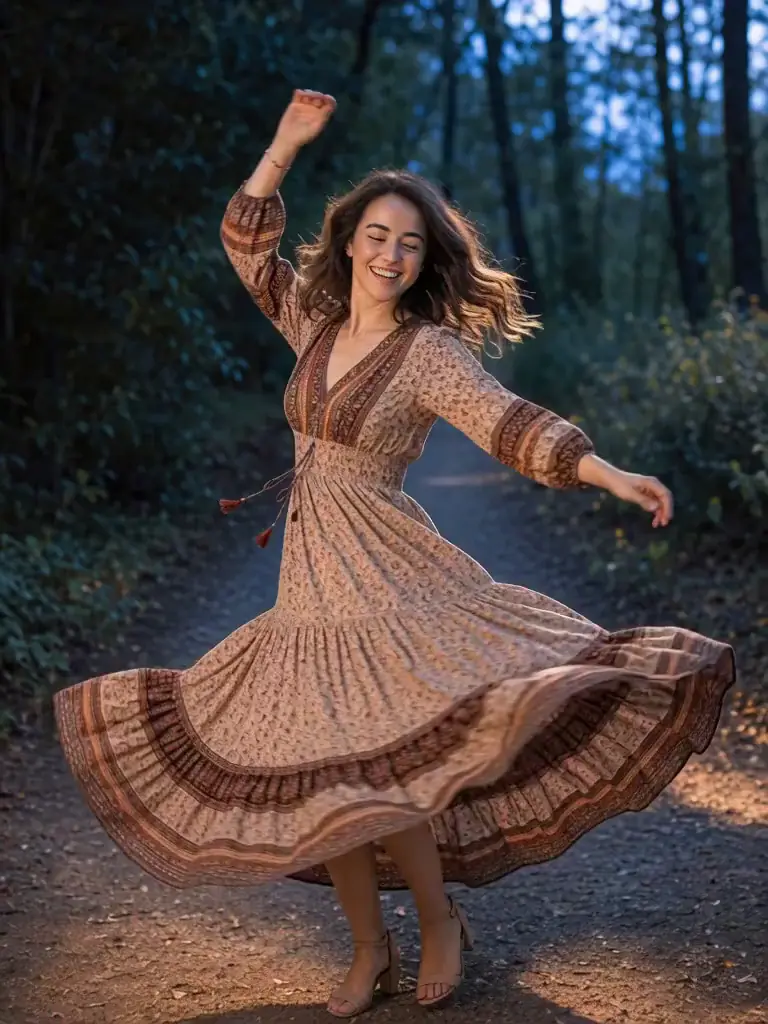
Bronafbeelding geüpload naar de AI-videogenerator
2. Beschrijf de beweging
“Het onderwerp draait en danst met vloeiende, natuurlijke beweging. Behoud de portretkadrering, gezichtsdetails en natuurlijke belichting terwijl de camera de beweging rustig volgt.”
3. Genereer de video
Video gegenereerd uit de bronafbeelding
Bekijk hoe een AI-afbeelding-naar-videogenerator een beginbeeld, eindbeeld en bewegingsprompt gebruikt voor meer controle over de video.
1. Voeg begin- en eindbeeld toe
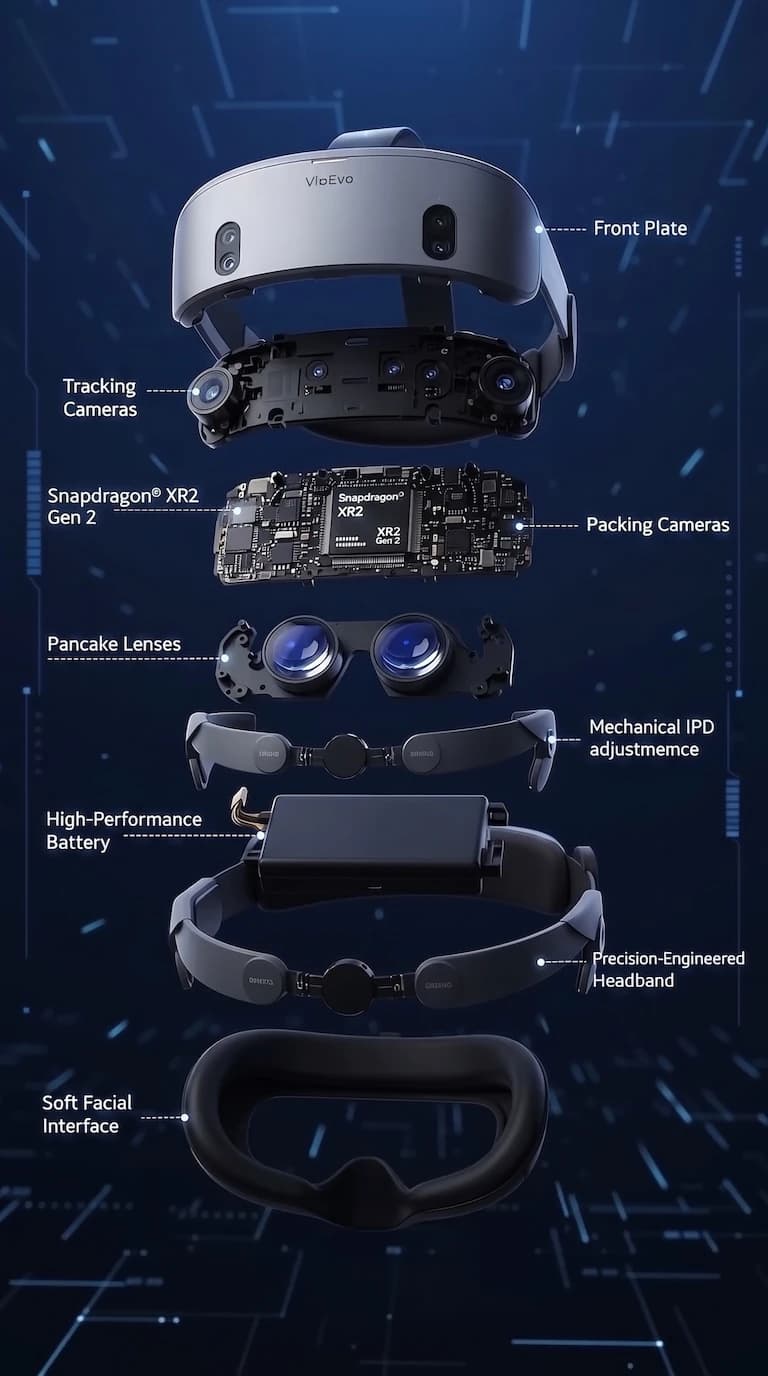
Beginbeeld
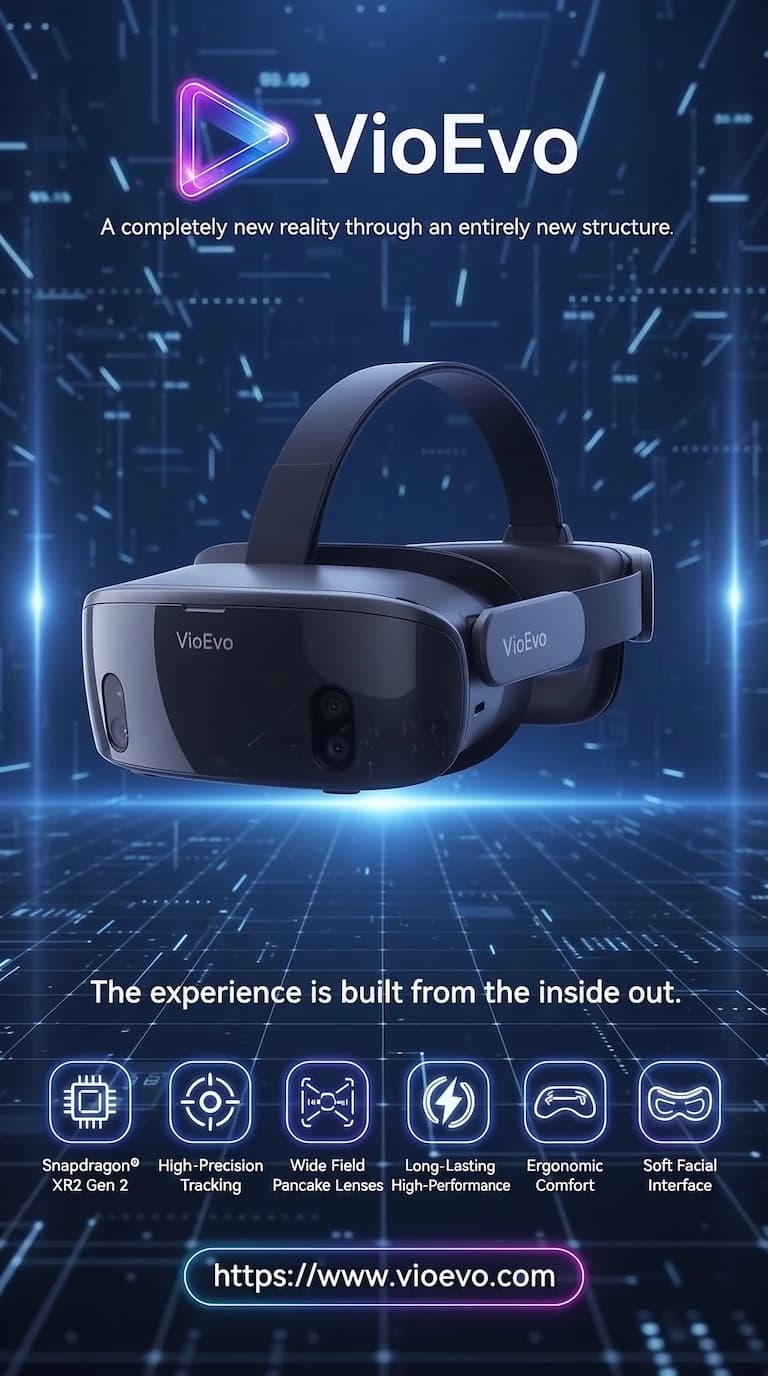
Eindbeeld
2. Beschrijf de overgang
“Filmische 3D-commercialsequentie. De uit elkaar geplaatste headsetonderdelen zetten zich in de lucht met technologische precisie naadloos in elkaar. Pulserende neon-energie stroomt door chips en lenzen terwijl lichtsporen rond het apparaat cirkelen. Vloeiende orbitale camerabeweging, futuristische productlanceringssfeer en een vlekkeloze overgang naar de uiteindelijke reclameposter.”
3. Genereer de video
Video gegenereerd uit begin- en eindbeeld
Kies Seedance, Veo of Kling op basis van snelheid, beeldkwaliteit en framecontrole voor je afbeelding-naar-video-project.
Gebruik de Grok-workflow voor afbeelding naar video of Veo 3.1 Fast om bewegingsprompts, camerarichtingen en creatieve varianten vóór de eindrender te testen.
Kleurrijk Snoep
Close-up van het gezicht van een kind dat vol verwondering naar een kleurrijk assortiment snoepgoed kijkt.
Kies Veo 3.1 Quality wanneer portretdetails, productvorm, licht en een hoogwaardige campagne-uitwerking tellen. Seedance 2.5 is een andere kwaliteitsgerichte optie.
Doorweekte Cowboyhoed
Close-up van een versleten leren cowboyhoed in het gras met een waterdruppel die van de rand valt.
Kies Kling 3.0 of Seedance wanneer één of twee afbeeldingen het begin en de ontwikkeling van de beweging moeten sturen.
Mistige waterval
Een figuur met capuchon kijkt uit over een mistige waterval en een rotsachtig landschap in een filmisch totaalbeeld.
Bepaal eerst wat het model moet behouden voordat je de beweging beschrijft. Zo blijft de bron herkenbaar en krijgt de AI-video een duidelijke richting.
Gebruik beweging, kadrering en afwerking als drie praktische stuurmiddelen om van een sterk stilstaand beeld een doelgerichte AI-video te maken.
Gebruik na het bovenstaande voorbeeld deze herhaalbare workflow om een duidelijke bronafbeelding te kiezen, een sterkere bewegingsprompt te schrijven en je AI-video te verfijnen zonder de oorspronkelijke compositie te verliezen.
Kies een heldere JPG-, PNG- of WEBP-afbeelding met genoeg detail, contrast en ruimte rond het onderwerp voor betrouwbare animatie.
Beschrijf camerabeweging, actie van het onderwerp en beweging in de omgeving. Bijvoorbeeld: langzaam inzoomen, zachte wind in de stof, oorspronkelijke compositie behouden.
Kies de beeldverhouding vóór het genereren zodat de clip past bij website, productpagina, YouTube of verticale social content.
Verlaag de beweging en vereenvoudig de prompt als het onderwerp te veel verandert. Voeg één duidelijke beweging toe als het resultaat te statisch is.
Maak in enkele seconden je gratis account aan en begin direct met creëren.