Grok Imagine: xAI's AI Image & Video Generator Guide
Complete guide to xAI's Grok Imagine family, including Aurora architecture, the current Image 2.0 endpoint, video versions, and migration context.
Before reading, create with Grok Imagine's current image model.
Developer: xAI · Architecture: Aurora (Autoregressive Mixture-of-Experts) · Official product page: Grok Imagine API · API documentation: xAI Imagine API
What Is Grok Imagine?
Grok Imagine is xAI's unified creative generation system, a single model family covering image generation, image editing, text-to-video, and image-to-video within one integrated product line. It is built on Aurora, xAI's proprietary autoregressive generation architecture, and is a distinct product from the Grok conversational AI: the two share a brand and infrastructure but serve separate purposes.
For a Google alternative focused on high-efficiency image generation, 4K output, and multi-image references, compare the Nano Banana 2.1 guide and the broader Nano Banana family guide.
The key distinction is architectural. Where most image and video generation models available in 2026 use diffusion (starting from random noise and progressively denoising toward a final output), Grok Imagine uses Aurora's autoregressive approach, generating outputs sequentially token by token in the same way a language model predicts the next word. This architectural choice has direct practical consequences for image quality, text rendering, subject identity preservation in video, and native audio generation that runs in the same pass as the video itself.
Grok Imagine began as an image-first product integrated into Grok on X. The product later expanded to video generation with the Grok Imagine 1.0 release, followed by the 1.5 general-availability release. The xAI API announcement and developer documentation are the sources for the current family and API context.
Aurora is presented as a unified architecture for still images, edited images, text-driven video, image-driven video, and native audio rather than as a set of unrelated specialized systems.
The Aurora Architecture
Aurora is xAI's proprietary autoregressive generation architecture. Understanding how it differs from the diffusion models that power most competing video and image generators is the most useful context for understanding when Grok Imagine performs well and where it is structurally constrained.
Diffusion vs. Autoregressive Generation
How diffusion models work: Diffusion models start from a field of random noise and progressively denoise through many iterative steps toward a coherent final output. All regions of the image or video frame are refined simultaneously across iterations. Most current image and video generation models, including Sora, Veo, and Stable Diffusion, are built on diffusion architectures.
How Aurora works: Aurora generates output sequentially, token by token, predicting each element based on all elements that precede it in the generation sequence. For images, this means building from a defined scan order. For video, it means generating frame by frame, with each frame informed by all prior frames. For audio, the audio tokens are generated in the same sequential pass as the video frames, not as a separate process aligned afterward.
Aurora is structured as a Mixture-of-Experts network: different parts of the generation task are routed to specialized expert subnetworks, while the sequential token prediction mechanism unifies the outputs across modalities.
Practical Consequences of the Architecture
Stronger text rendering. Text that appears inside generated images (logos, labels, signage, multilingual copy) is a sequential prediction problem. Aurora generates text content and its visual placement as part of the same token sequence, rather than treating them as separate outputs to reconcile. The result is legibility and accuracy in text rendering that diffusion models do not reliably match, particularly for non-Latin scripts including Japanese, Korean, Chinese, and Arabic.
Hard first-frame anchoring in image-to-video. When a source image is provided as input for video generation, Aurora treats it as the literal first frame: the starting sequence of tokens from which the generation continues. The model does not approximate the source image from a description; it continues directly from the image's own token representation. The subject in frame 1 is geometrically and visually identical to the subject in frame 10 because the generation cannot deviate from the starting sequence. This is the structural source of Grok Imagine's subject identity preservation advantage in image-to-video.
Native audio-visual synchronization. Audio tokens are generated in the same autoregressive pass as the video tokens. Dialogue lip sync, sound effect timing, and ambient audio match the visual content because they were generated as a unified sequence, not because they were aligned afterward through post-processing.
Tighter compositional reasoning. Because Aurora generates in sequence and each prediction is conditioned on all prior predictions, the model maintains awareness of the composition it has already built. Objects are positioned relative to what has already been established in the generation state, producing more coherent spatial logic than parallel denoising approaches.
Trade-offs. Sequential generation is computationally intensive. Aurora's generation times are longer than some diffusion-based competitors at equivalent quality settings. The sequential architecture also creates practical scaling challenges for higher resolutions: Grok Imagine 1.5 is documented up to 1080p on the xAI API surface, while some competing products target higher-resolution output.
xAI has not published a formal academic paper on Aurora's architecture. Technical details come from official blog posts, developer documentation, and API references.
Grok Imagine Image Generation
Grok Imagine is xAI's AI image generator and video generation platform. On the image side, it converts text prompts to finished grok images and edits existing photos through natural language instructions. The image generator runs on the same Aurora autoregressive architecture as the video generation, so Aurora's text rendering advantage carries directly into image output quality.
Capabilities
Text-to-image: Generate images from text prompts at up to 2K resolution (2048×2048). The model handles photorealistic, anime, illustration, oil painting, 3D-rendered, abstract, and other visual styles from a single endpoint. Style is specified in the prompt, not through a separate model parameter. Prompts up to 10,000 characters are supported, providing substantial space for detailed compositional direction.
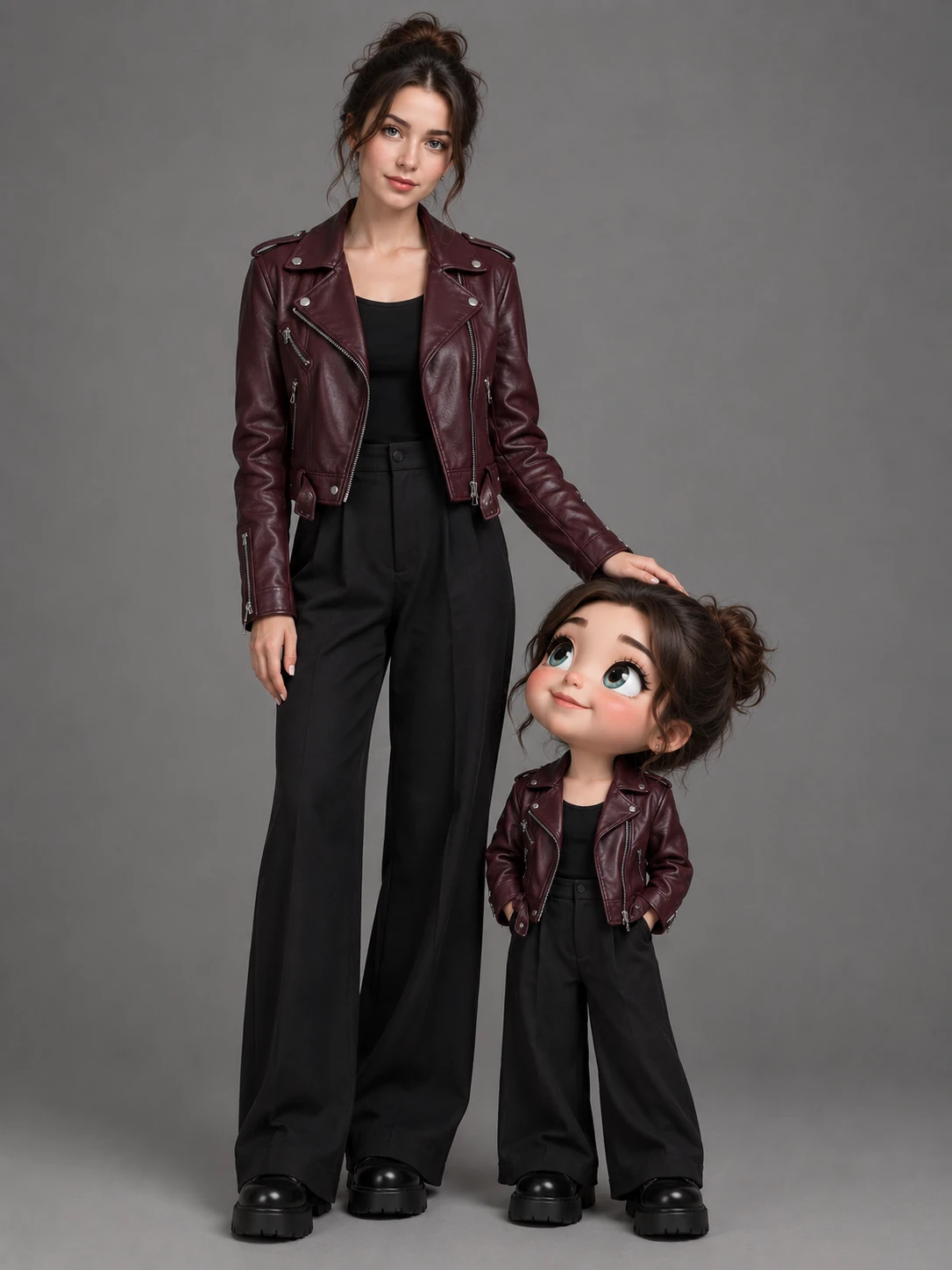
Image editing: Upload an existing image and describe changes in natural language. The editing workflow accepts up to 3 reference images per request, enabling background replacement, style transfer, object addition or removal, color and lighting adjustments, and character or costume changes. The editing interface uses the same prompt syntax as generation, with no separate parameter set required.

Batch generation: Both text-to-image and image editing support batch parameters: up to 4 images per request on the standard tier and up to 10 per request on the quality tier, enabling parallel candidate generation for creative exploration and A/B selection in production pipelines.
Image Versions
The older standard and quality tiers below are historical API references. VioEvo has retired both public entries and now exposes the versioned Grok Imagine Image 2.0 model for new image work. See the Grok Imagine Image 2.0 guide for the current workflow and limits.
Grok Imagine Image (grok-imagine-image): The standard tier. Text-to-image and image editing at up to 1K resolution (1024×1024). Seven supported aspect ratios. The practical starting point for most generation and editing workflows.
Grok Imagine Image Quality (grok-imagine-image-quality): The former premium tier. This entry is retained only for historical job records and is no longer available for new VioEvo requests.
Note: A third tier, grok-imagine-image-pro, was deprecated in VioEvo's catalog. API calls to the pro endpoint now redirect to grok-imagine-image-quality.
Image Output Specifications
| Specification | Grok Imagine Image | Grok Imagine Image Quality |
|---|---|---|
| Max resolution | 1K (1024×1024) | 2K (2048×2048) |
| Aspect ratios | 7 | 14 (incl. 20:9 · 9:20) |
| Max outputs per request | 4 | 10 |
| Reference images (editing) | Up to 3 | Up to 3 |
| Pricing | $0.02/image | $0.05 (1K) · $0.07 (2K) |
| Output formats | JPEG · PNG · WebP | JPEG · PNG · WebP |
| Alpha channel | PNG only | PNG · WebP |
Source: xAI Imagine API Documentation · As of July 2026
When to Use Grok Imagine for Image Generation
Text rendering is the decisive factor. For any content where legible text (logos, brand names, multilingual copy, signage) must appear accurately inside the generated image, Grok Imagine Image Quality is the strongest option in the current market. Aurora's sequential generation handles the semantic relationship between text content and its visual placement in a way that diffusion models do not reliably replicate, particularly for non-Latin scripts.
Large-format output. The 20:9 and 9:20 aspect ratios in Image Quality produce genuine wide-format and tall-format compositions (not cropped versions of square outputs), suited to banner advertising, cinematic establishing shots, and full-length character visualization.
Integrated image-to-video pipeline. Images generated with Grok Imagine Image Quality feed directly into Grok Imagine video generation with consistent visual identity maintained across both steps. If your workflow involves generating a scene as a still image and then animating it, keeping both steps within the Grok Imagine family produces the most coherent result.
Rapid grok image iteration. The batch parameter supports up to 4 grok images per standard request and up to 10 per Image Quality request. Generate multiple candidates from the same prompt, select the strongest, and feed it directly into the I2V pipeline — all within a single model family.
Video Generation: Modes and Capabilities
Grok Imagine's video generation covers two primary modes, text-to-video (T2V) and image-to-video (I2V), with native audio generated in the same pass as the video frames. This section covers the shared capabilities common to all versions; for version-specific specifications, see the version pages below.
Text-to-video generates clips from natural language prompts. The model produces video at 24 FPS with native audio synchronized to the visual content. Three creative modes are available: Normal (standard generation), Fun (stylized or heightened visual treatment), and Spicy (mature content, subject to platform content policies). The model accepts prompts up to 5,000 tokens.
Image-to-video is architecturally Grok Imagine's strongest mode. The source image is treated as the literal first frame of the generation. Aurora continues the token sequence starting from the source image, producing hard first-frame anchoring. Subject identity, facial geometry, lighting, and composition carry directly from the input image into all subsequent frames. For portrait animation, product animation, and any use case where the output must match a specific visual reference, I2V is the correct mode.
For a hands-on version of this workflow, try the Grok image-to-video generator.
Reference-to-video (available in Grok Imagine 1.0 only) accepts up to 7 reference images via @image1…@image7 syntax. Unlike I2V, which anchors the video to a single literal first frame, Reference-to-Video uses the provided images as visual conditioning references for character, style, or object consistency throughout the clip. This mode is not available in Grok Imagine 1.5.
Native audio is generated in the same sequential pass as the video. Dialogue, ambient sound, sound effects, and background music are produced alongside the video frames rather than separately aligned afterward. Single-character lip sync is supported across all versions.
For version-specific clip duration, generation speed, speed tier options, 1080p resolution availability, and Video Extend details, see the version pages:
Version History and Comparison
| Version | GA Release | Max Duration | Max Resolution | Speed Tiers | I2V Arena (peak) |
|---|---|---|---|---|---|
| 1.0 | Feb 2, 2026 | 10s | 720p | Standard | — |
| 1.5 | Jun 16, 2026 | 15s | 720p on VioEvo; xAI describes up to 1080p | Fast · Standard | ~1,466 (#1, Jun 2026) |
The xAI API documentation describes 24 FPS, native audio, and Video Extend for the Grok Imagine video family. VioEvo currently exposes five Video 1.5 aspect ratios: 16:9, 9:16, 1:1, 3:2, and 2:3. Those five ratios are VioEvo product-contract values. Reference-to-Video (up to 7 reference images via @image1…@image7) is available only in 1.0 and is not supported in 1.5. For full per-version specs and API model IDs, see the individual version pages.
Source: xAI Grok Imagine API announcement · xAI Imagine API documentation · Artificial Analysis Image-to-Video Arena. The five aspect ratios and 720p VioEvo value are product-contract values; the ~1,466 Arena figure is a June 23, 2026 benchmark snapshot.
The Extend from Frame feature, which allows chaining video clips up to approximately 30 seconds, was introduced on March 2, 2026 as an update to the 1.0-era model, and carried forward into 1.5 with quality improvements to scene continuity and character consistency across clip boundaries. It is documented by xAI, but VioEvo does not currently expose a public Video Extend route.
Which Version Should I Use?
Use Grok Imagine 1.5 for new workflows. Version 1.5 is the current recommended choice for any new production workflow. It delivers meaningfully better output quality (+52 Elo improvement on the I2V Arena leaderboard, reaching #1), 15-second single-pass clips versus 10 seconds in 1.0, xAI-documented support up to 1080p on its API surface, and a Fast tier that reduces generation time by approximately 40%. VioEvo currently exposes 480p and 720p; those resolution values are VioEvo product-contract values.
Grok Imagine 1.0 remains relevant in two scenarios:
- You have an existing workflow built on the
grok-imagine-videoAPI endpoint and have not yet migrated. The 1.5 API is backward compatible. Migration requires only a model identifier change, with no prompt or parameter adjustments needed. - The per-second cost is a primary constraint. Version 1.0 is priced lower than 1.5 at both 480p and 720p. If the quality difference between versions is acceptable for your use case, 1.0 remains the more cost-effective option. See xAI API documentation for current rates.
For detailed per-version context, see the Grok Imagine 1.0 technical reference and the Grok Imagine 1.5 complete guide.
Platform Availability and Access
xAI API: Full programmatic access to all Grok Imagine image and video models. Requires an xAI API key. Supports Standard tier video generation, Video Extend, image generation, and image editing. Pricing is per-second for video and per-image for image generation.
X (Twitter) integration: Grok Imagine is integrated into X's web, iOS, and Android apps under the Grok Imagine section. Access is gated by subscription tier:
- Free: Limited weekly generation quota, shared across image and video
- X Premium: Increased weekly quota; access to Grok Imagine 1.5 Fast
- SuperGrok: Substantially higher generation limits
X uses a unified weekly credit pool across image and video generation. Heavy video use can deplete the weekly allocation faster than image-only workflows.
Third-party platforms: Grok Imagine is available on platforms including VioEvo, which provides text-to-video and image-to-video access without requiring a direct xAI account. Tier availability and pricing vary by platform.
Real-World Use Cases
Brand asset production. Grok Imagine Image Quality's text rendering makes it the practical choice for generating brand materials where logo accuracy and multilingual copy legibility are required. Generate the still image asset with precise text rendering, then animate selected assets using I2V. Both steps stay within the same model family, maintaining visual consistency from still to motion.
Portrait and character animation. Upload a portrait photo and prompt for movement, ambient sound, and speaker animation. The I2V hard first-frame anchor ensures the person in the photo is the person in the video: same face, same proportions, same visual identity. Native 9:16 aspect ratio support fits Instagram Reels, TikTok, and YouTube Shorts.
Product photography animation. Animate product still photographs into video with controlled camera movement and synchronized sound effects. The source image as first frame preserves product color accuracy, branding, and shape exactly. The full pipeline: generate the product shot with Aurora's text rendering accuracy, then animate with I2V.
Pre-production visualization. Use image generation to create visual concepts across wide format ratios, then animate key frames into short motion studies. The wide panoramic options in Image Quality are particularly suited to establishing shots and environment visualization.
Social-first content production. Native 9:16 aspect ratio, fast generation, integrated audio, and three creative modes make Grok Imagine well-suited for high-volume social content production without requiring a separate audio design step.
Frequently Asked Questions
What is the difference between Grok Imagine and Grok? Grok is xAI's conversational AI assistant. Grok Imagine is xAI's visual generation system covering image creation, image editing, text-to-video, and image-to-video. The two products share brand and infrastructure but serve distinct purposes. Grok Imagine is accessible through the xAI API, X's apps, or third-party platforms including VioEvo.
What makes Aurora different from diffusion models? Aurora is an autoregressive model that generates output sequentially, token by token, rather than refining noisy input in parallel iterative steps. This gives it stronger text rendering in images, harder first-frame anchoring in image-to-video (the source image is the literal first frame, not a conditioning approximation), and native audio-visual synchronization in video generation. The architectural trade-off is speed: sequential generation is computationally intensive, making Aurora-based generation slower than some diffusion models at equivalent quality.
What image resolutions does Grok Imagine support? The historical Image and Image Quality tiers have different resolution and aspect-ratio contracts documented in the xAI API reference. Video resolution depends on version: 1.0 supports up to 720p; 1.5 supports up to 1080p on the xAI API surface. See the version-specific pages and xAI's Imagine API documentation for current details.
Is there a Grok Imagine API? Yes. The Grok Imagine API was announced on January 28, 2026 and provides programmatic access to all image and video generation models. Full documentation is available in xAI's developer documentation.
What can the Grok image generator do? The Grok image generator handles text-to-image generation and natural-language image editing. As an AI image generator, Grok Imagine works from a single model endpoint across photorealistic, anime, illustration, 3D-rendered, and abstract styles; style is controlled through the prompt, not through separate model selection. The capability that distinguishes Grok Imagine as an AI image generator from most diffusion-based alternatives is Aurora's text rendering: grok images can handle logos, multilingual copy, and complex labels, although important text should always be reviewed.
Which Grok Imagine version should I use? For new workflows, Grok Imagine 1.5 is the recommended version, offering better output quality, longer single-pass clips, 1080p resolution support, and faster generation than 1.0. See the Which Version Should I Use section above for specific trade-off guidance.
Does Grok Imagine generate audio automatically? Yes. Audio is generated in the same sequential pass as the video: dialogue, ambient sound, sound effects, and background music are produced alongside the visual content without a separate audio generation step.
What is the current Grok Imagine image model on VioEvo? New text-to-image and image-to-image requests use Grok Imagine Image 2.0. The previous standard, quality, and edit capability records remain disabled so historical jobs can still display their original model identifiers. They cannot be retried after retirement.
Grok Imagine is available on VioEvo for image-to-video, text-to-video, and Image 2.0 image generation. xAI's Video Extend capability is not currently exposed by VioEvo. No xAI account is required for the VioEvo workflow.
