VioEvo AI logoVioEvo AI
Video
Text to VideoImage to VideoVideo to VideoReference to Video
Image
Text to ImageImage to Image

AI Image to Image Generator & Editor

Transform reference visuals with precision using AI image to image generation. Upload an existing photo, describe your desired changes with simple prompts, and let our image to image AI restyle lighting, aesthetics, and backgrounds while preserving core subjects and composition across product photography, portraits, and studio scenes.
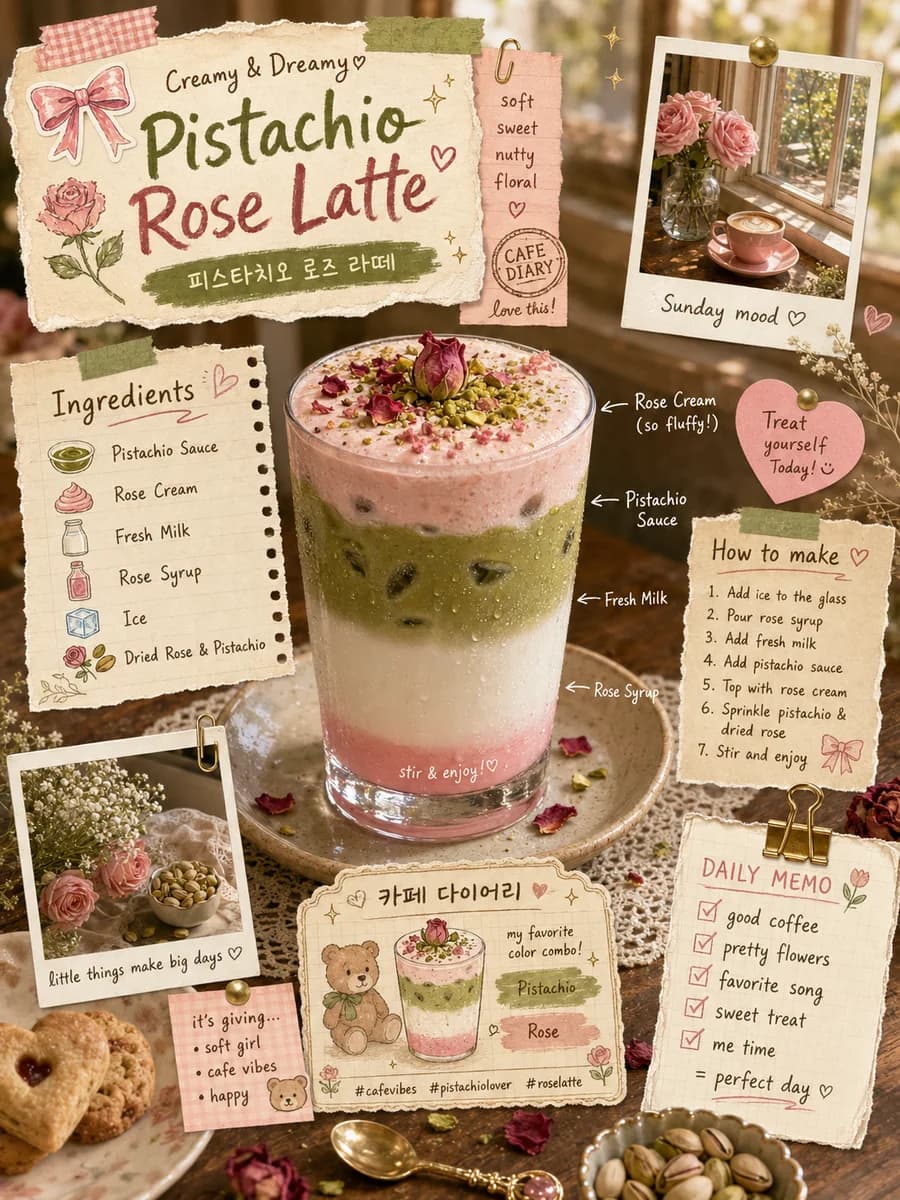
Pistachio latte photo restyled into a scrapbook flatlay with warm lighting

Pistachio Latte Recipe

Beverage still restyled into an editorial scrapbook social card.
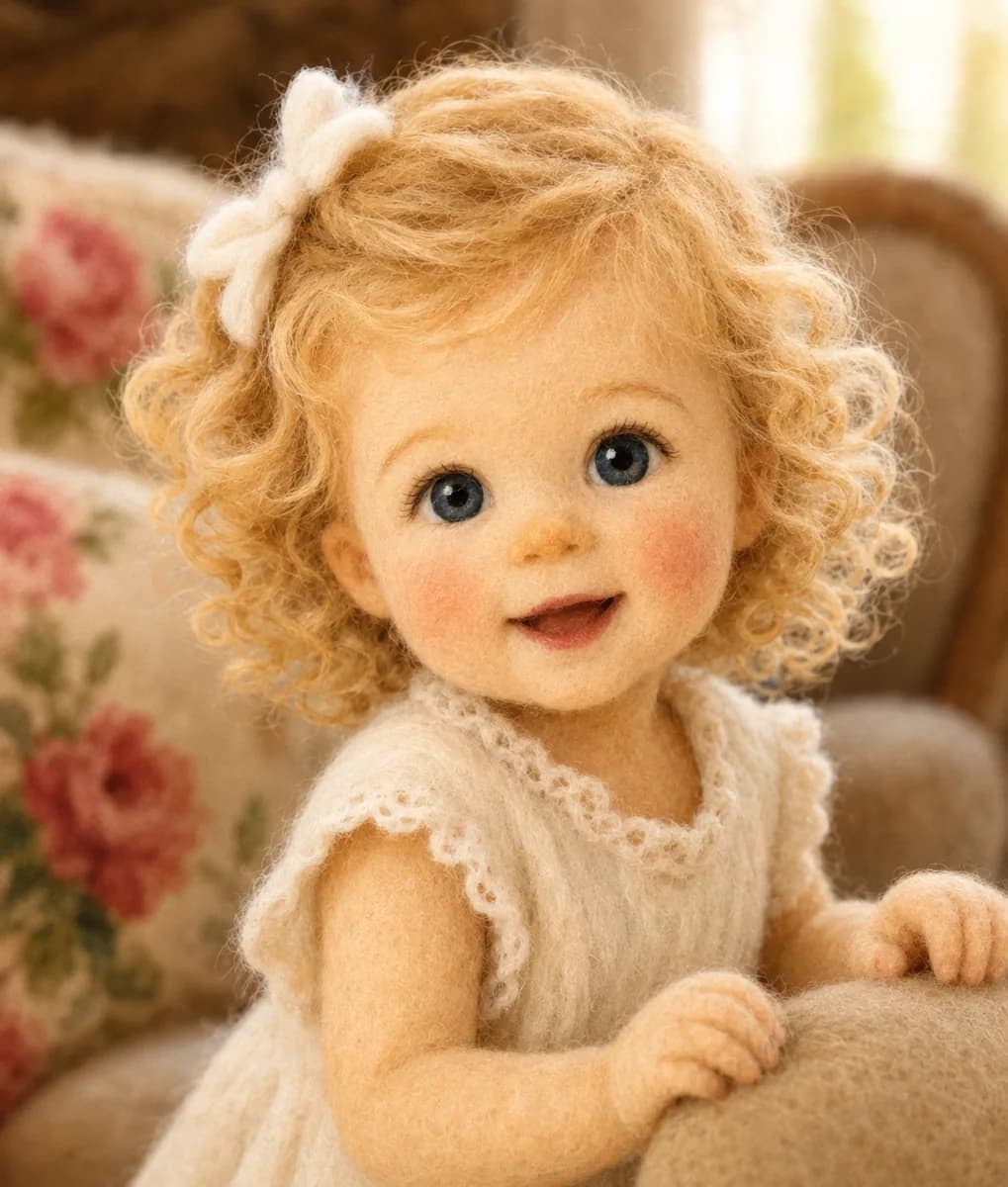
Studio portrait restyled with needle-felted wool craft texture

Needle-Felted Girl

Portrait reference converted into tactile needle-felted wool craft art.
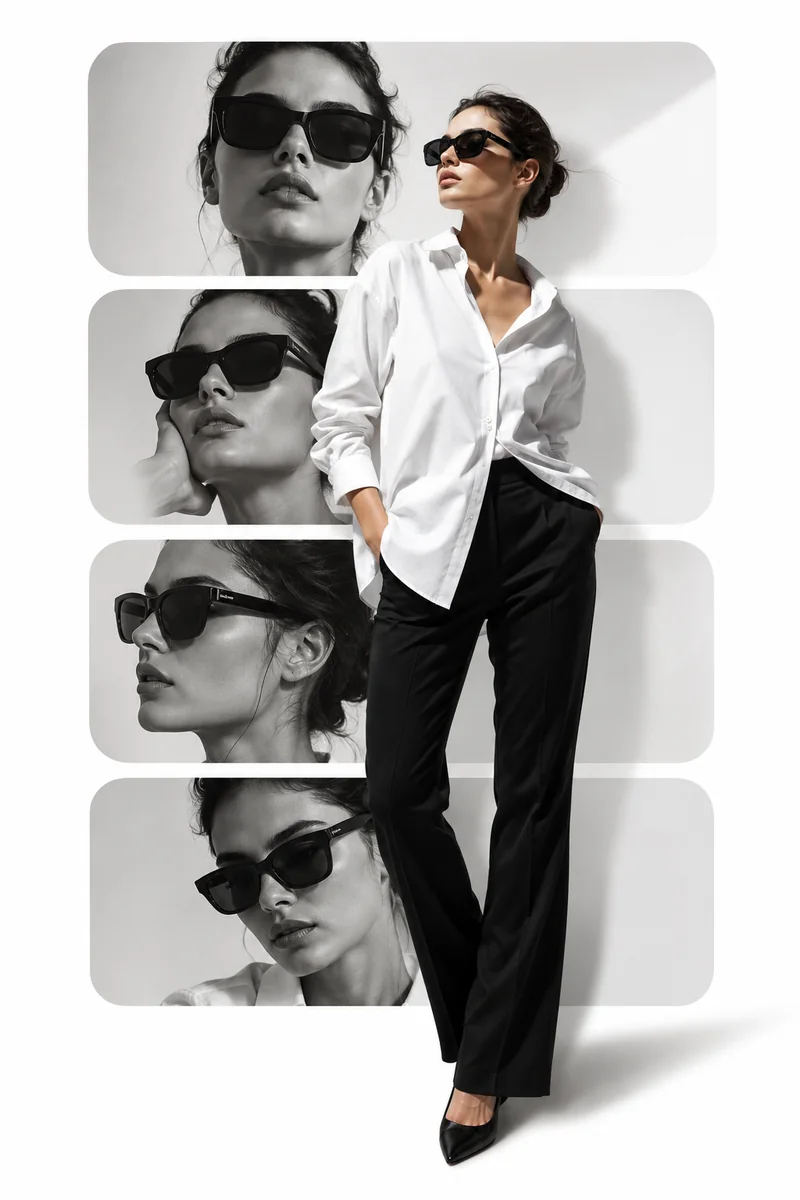
Fashion portrait recomposed into a black and white editorial collage

Fashion Editorial Layout

Studio photoshoot still reimagined into a monochrome fashion magazine layout.

What AI image to image editing actually changes

Lock the layout and dish placement while restyling colors, text language, and canvas shape. Here, a landscape Korean recipe graphic is translated into clean English and resized to vertical 3:4 for mobile.

1. Upload reference (16:9)
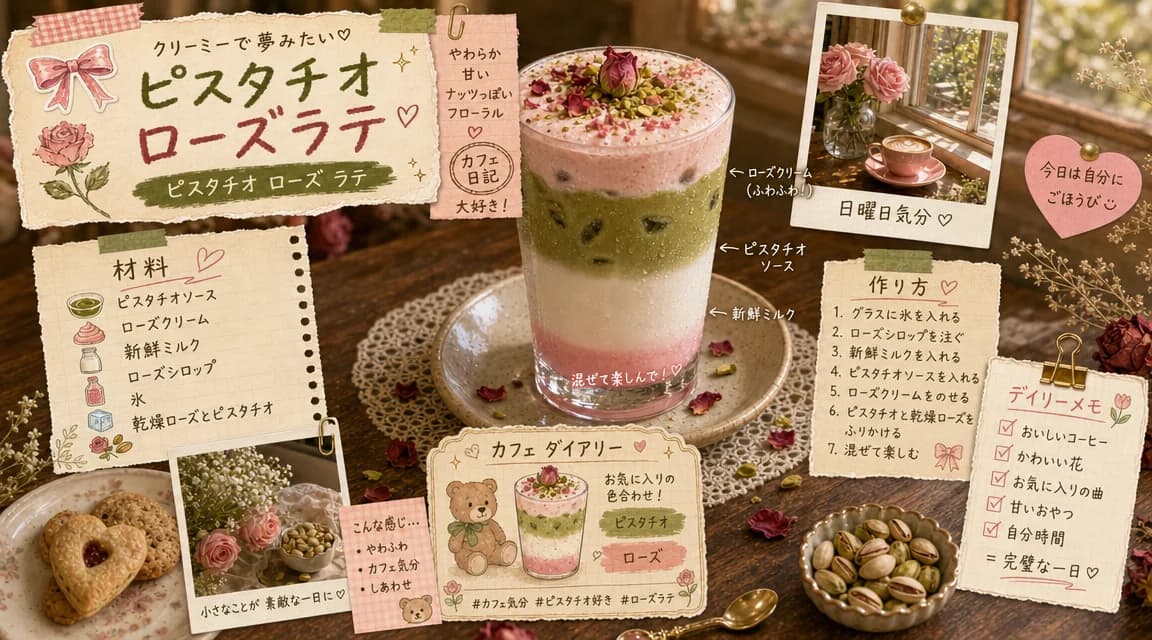
Original recipe infographic with Korean text in 16:9 landscape framing

Original reference (Korean, 16:9)

2. Translate & reframe

ChatGPT Image 2 (gpt-image-2-edit)

“Translate all Korean text into clean English headlines and ingredient steps while keeping the paper-cut collage textures, color palette, and layout structure intact.”

Aspect ratio: 3:4 verticalKorean to English translationCollage layout locked

3. Vertical result (3:4)

English recipe infographic in 3:4 vertical format

English recipe infographic in 3:4 vertical format

What changes: Korean text is translated to English and framing extends to 3:4 vertical. What stays locked: dish placement, recipe layout, and handcrafted collage textures.

How the image to image generator transforms one reference into multiple styles

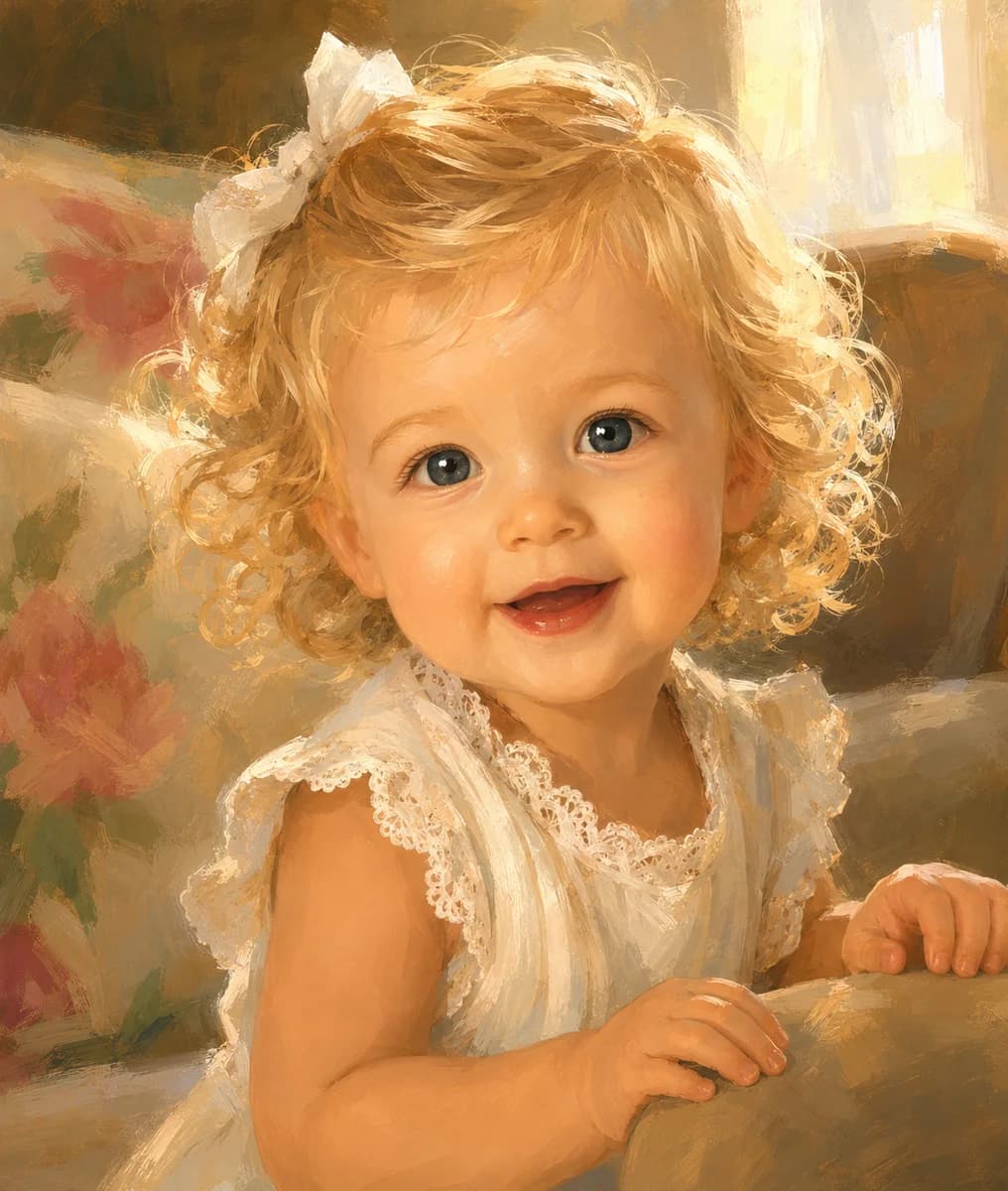
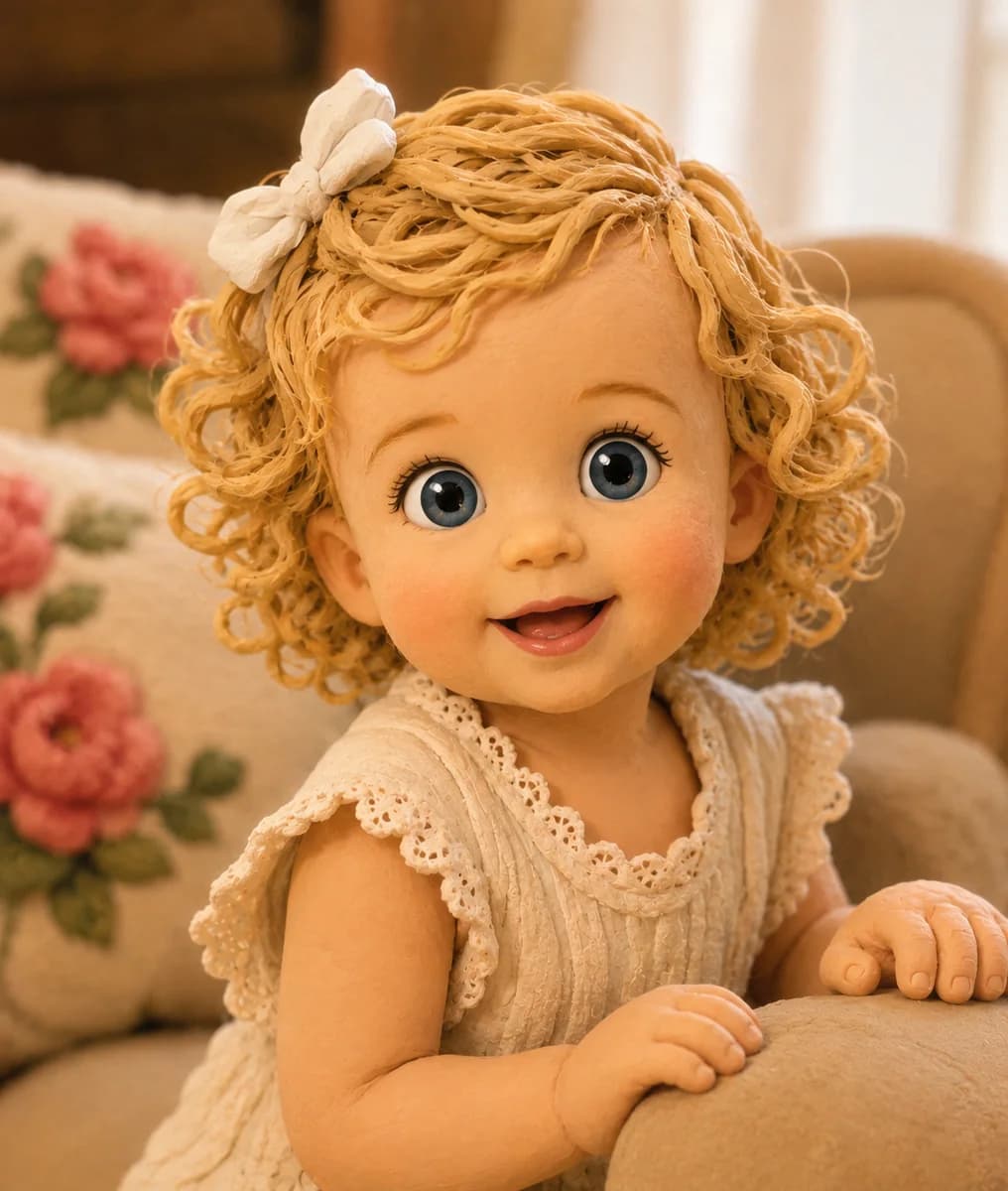
A single reference photo can produce completely different creative looks. Keep the child's face and expression recognizable while transforming the surface into 3D animation, oil paint, clay sculpture, or needle-felted wool.

1. Original reference photo
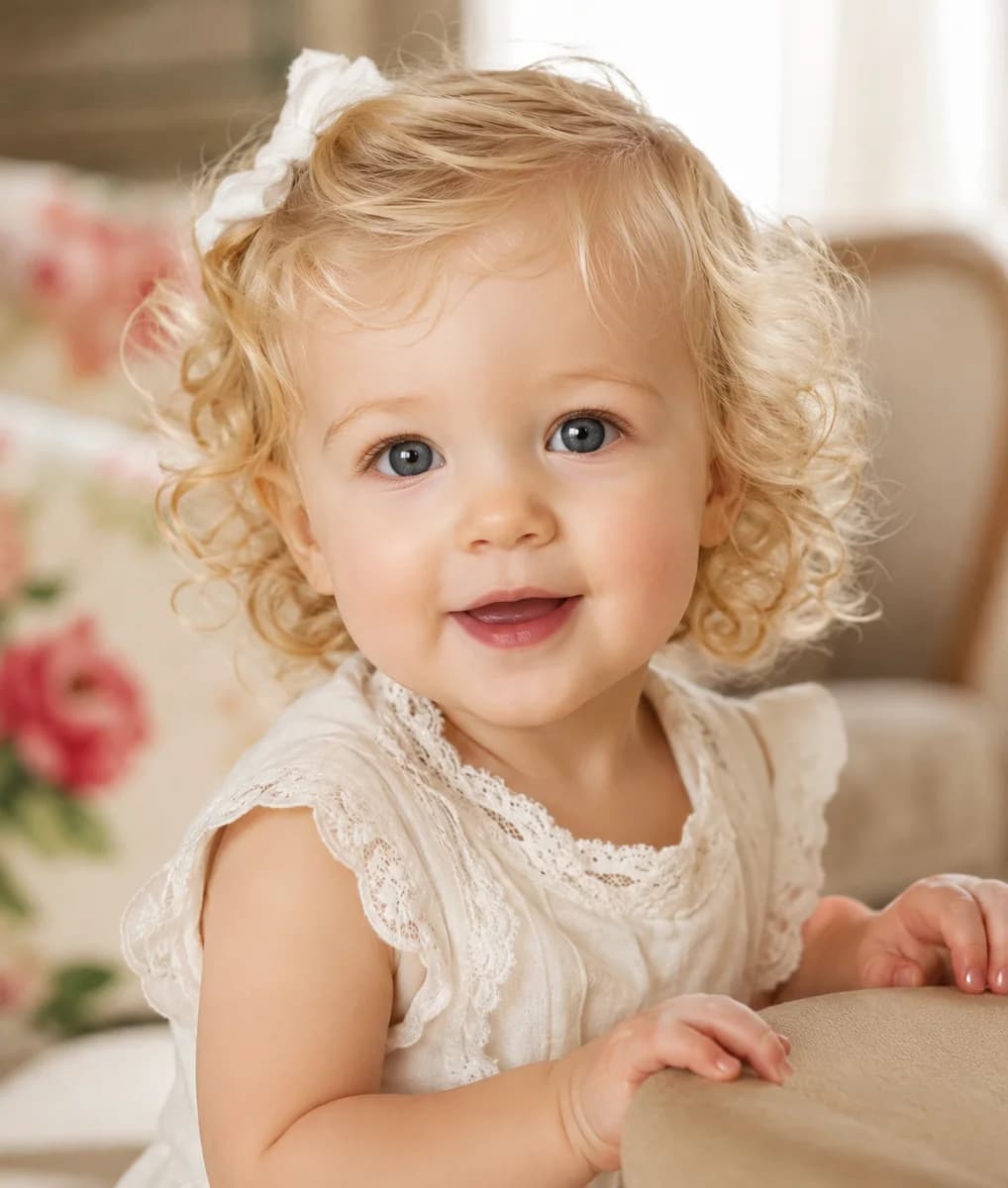
Original curly-haired toddler portrait reference photo

Original toddler photo

2. Multi-style transformations
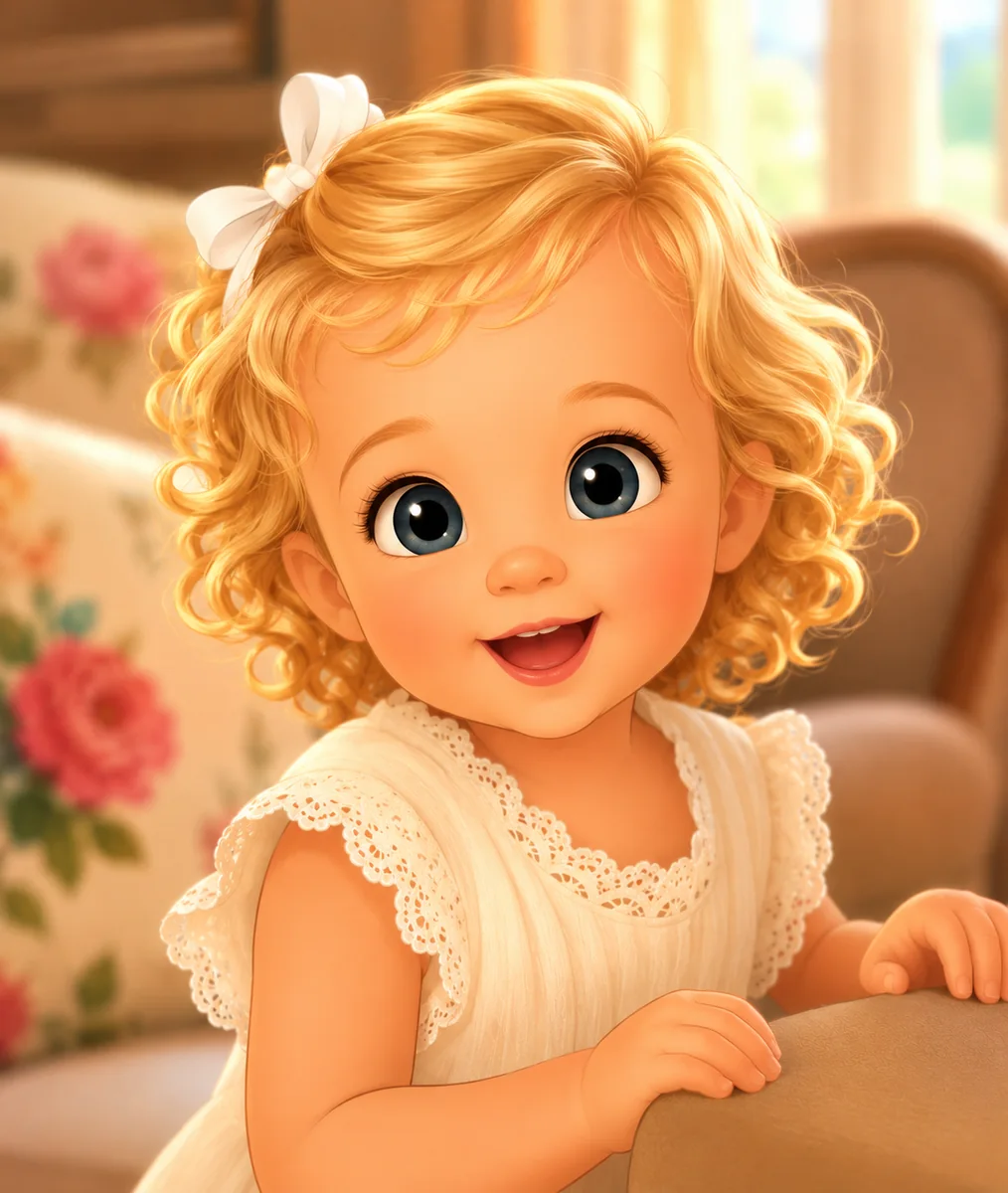
Fairytale animated 3D character restyling

Fairytale 3D Animation

Classic oil painting restyling with visible brushwork

Classic Oil Painting

Stop-motion clay sculpture restyling

Stop-Motion Clay

Tactile plush and wool doll restyling

Plush & Wool Doll

The same reference photo can also be turned into 3D animation, comic, or clay styles with our AI Cartoonify effect.

Image to image editor: what you actually control

In our image to image AI generator, you direct prompt instructions, aspect ratio, and optional pose guidance. Upload a portrait alongside a reference pose to direct posture while locking facial identity.

1. Input photos
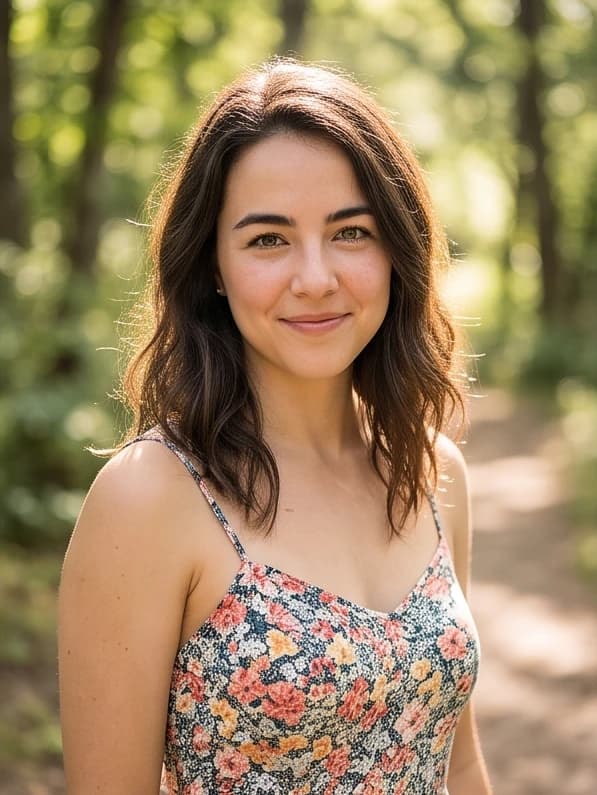
Original solo portrait photo

Your Photo

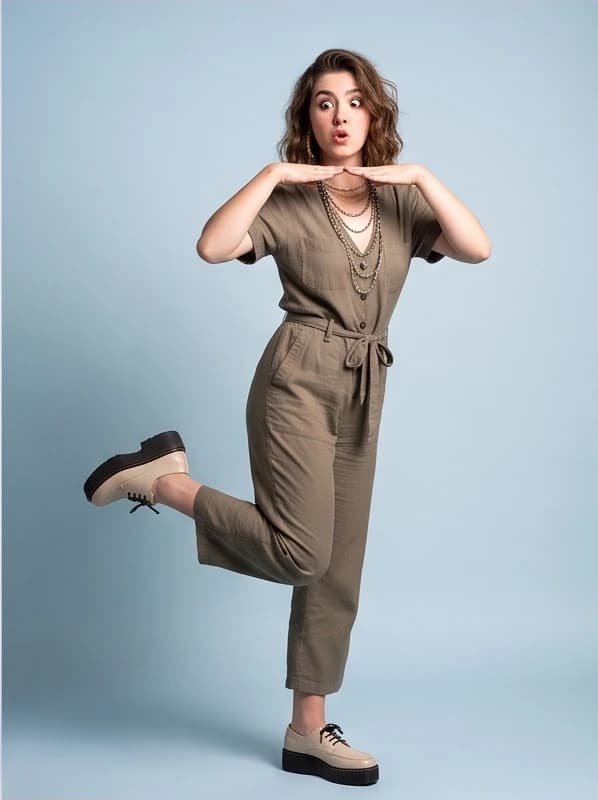
Target pose reference of woman standing on one leg

Pose Reference

2. Editor prompt & settings

ChatGPT Image 2 (gpt-image-2-edit)

“Transfer the standing-on-one-leg pose from the reference image onto the portrait subject. Preserve facial identity, hairstyle, and soft natural lighting while rendering a clean lifestyle editorial background.”

Model: ChatGPT Image 2Aspect ratio: 3:4Reference inputs: 2 imagesOutput: 1 image

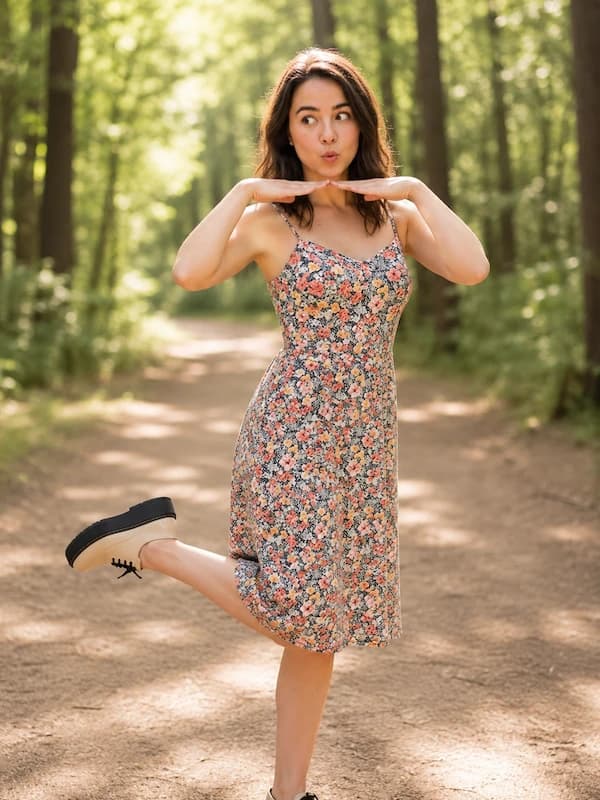
3. Generated output

Identity preserved with new pose

Identity preserved with new pose

Pair your portrait with standing or action reference photos using our specialized AI Pose Changer workflow.

Which kinds of edits work best

AI image to image editing is most effective when your source image has strong composition but needs professional polish, creative styling, or commercial scene variations.

01

Product refresh: restyle product photos without losing the product

  • Best source: High-resolution packshot with clear contours and studio lighting.
  • What it achieves: Use image to image generation to place merchandise into commercial launch visuals or travertine pedestals without altering packaging geometry or logos.
  • Example prompt: "Place this skincare bottle on a sunlit travertine pedestal with palm shadows and studio lighting, keeping bottle geometry and typography exact."
  • Video workflow: For dynamic product reveals, turn a still image into video with our motion studio.
02

Portrait restyle: elevate headshots and character aesthetics

  • Best source: Crisp solo portrait with sharp facial features and balanced illumination.
  • What it achieves: Re-renders hair texture, wardrobe, and studio backdrops across fashion editorial or cinematic film styles while locking facial identity.
  • Example prompt: "High-fashion editorial portrait of the subject wearing a tailored charcoal wool coat, rim lighting, neutral studio backdrop, 85mm lens, retaining exact facial geometry."
  • Pose guidance: For new body postures while preserving identity, pair your photo with our specialized pose workflow.
03

Scene replacement: swap background context and seasonal mood

  • Best source: Subject with distinct silhouette contrast and clear separation from surroundings.
  • What it achieves: Transports foreground subjects from plain indoor rooms into photorealistic cityscapes or outdoor terraces with matched lighting.
  • Example prompt: "Transport the seated subject to a sunlit Mediterranean cafe terrace at golden hour, adding warm rim lighting on shoulders while matching scene perspective."
  • Campaign testing: Generate environmental variations from the same reference to test seasonal marketing concepts.

How to direct an image transformation

Direct your transformation by stating what should remain stable before describing what should change.

  1. 1

    Upload the reference image

    Upload a clean source photo with the subject, product, or framing you want to preserve.

  2. 2

    Describe the transformation

    Describe what should change, such as lighting, background scenery, or artistic medium.

  3. 3

    Choose the output shape

    Pick the shape that fits where the image will be published: square for feeds, tall for stories, or wide for banners.

  4. 4

    Keep or push the edit

    Review the result and refine your prompt to adjust stylization intensity as needed.

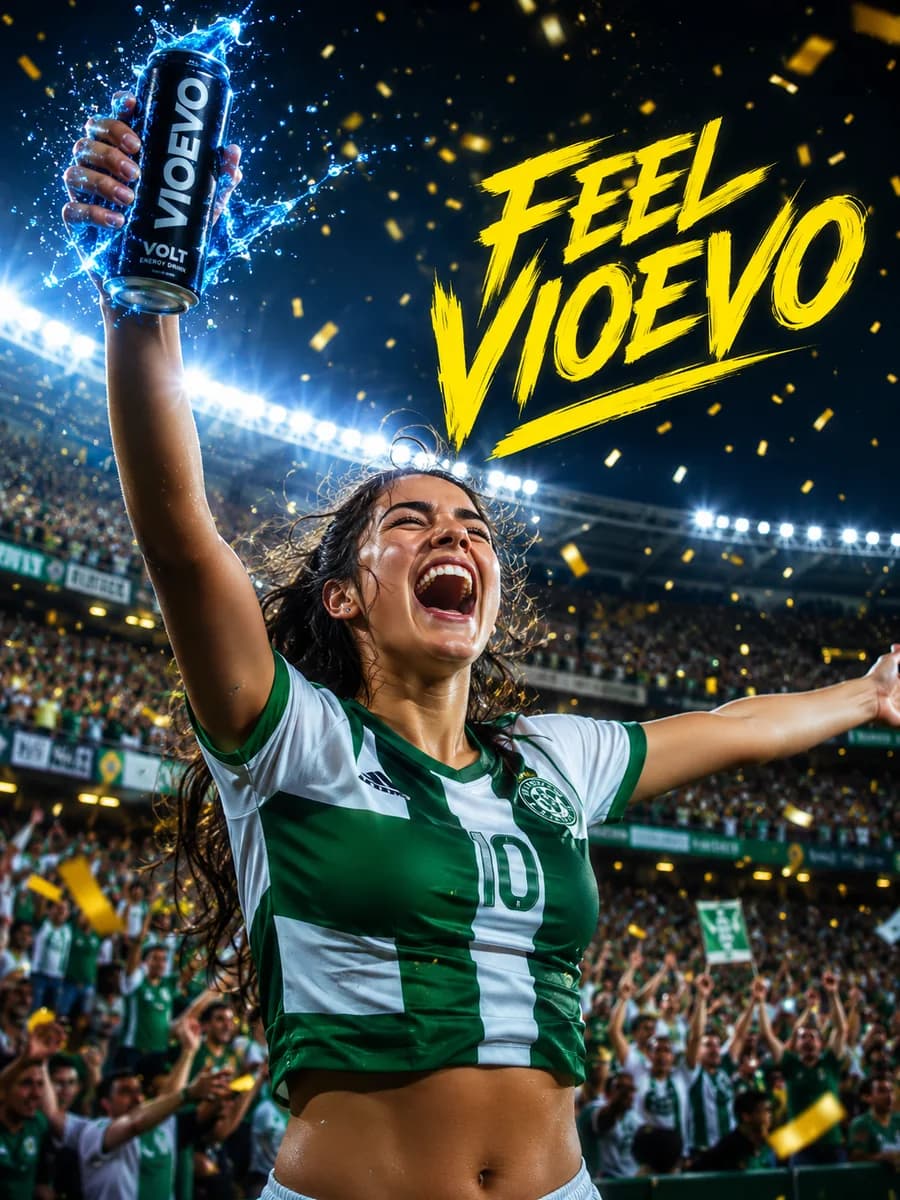
Commercial beverage product restyled in an athletic stadium setting with water splash effects

Energy Drink Campaign

Packshot beverage reference placed into an energetic stadium commercial poster.

Which model should you use for image to image

VioEvo routes transformations directly to leading production diffusion engines. Pick the model that best matches your fidelity, speed, and creative styling requirements.

Best Quality

ChatGPT Image 2.5: High fidelity & complex typography

Review benchmarks in our ChatGPT Image 2.5 model guide before generating production assets.
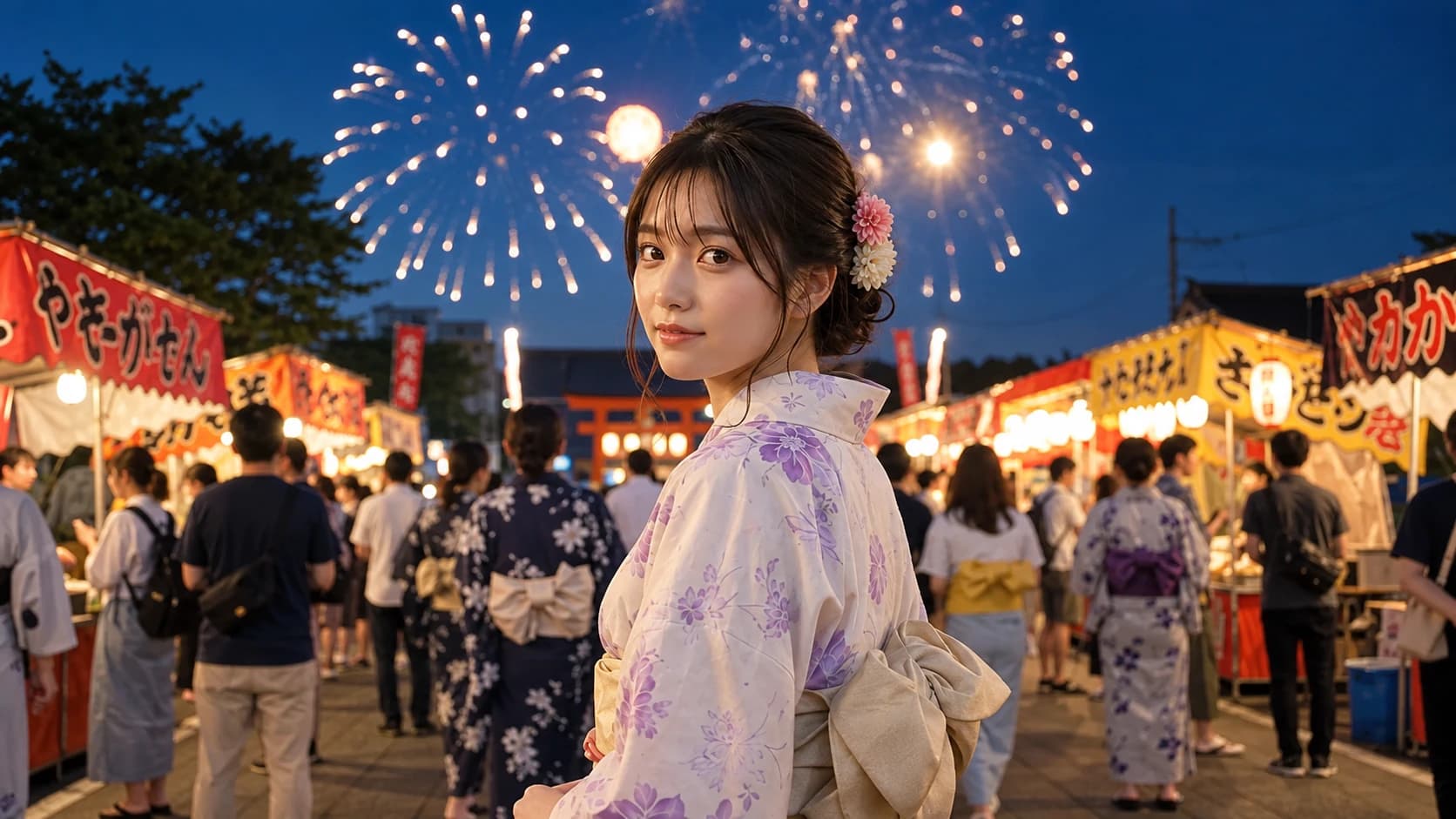
ChatGPT Image 2.5 rendering intricate label typography and packaging materials

Packaging & Typographic Detail

High-fidelity text rendering and multi-element composition.
Flash Efficiency

Nano Banana 2.1: High speed & multi-reference fusion

Explore benchmarks and prompt recipes in our Nano Banana 2.1 guide to optimize your production workflow.
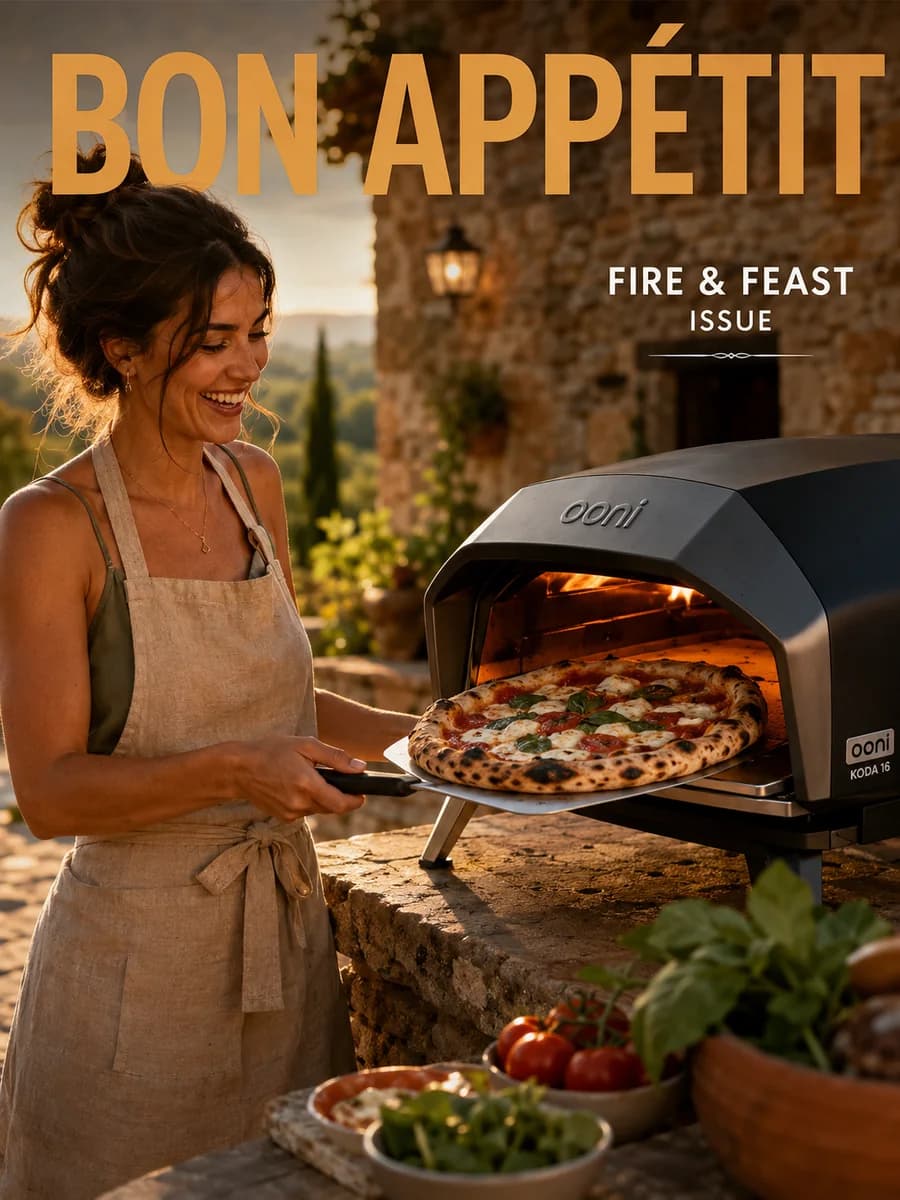
Nano Banana 2.1 editorial portrait restyle with artistic textures and framing

Rapid Editorial Restyling

Fast style transfer and creative compositional variations.

Compare other models, including Grok Imagine and ChatGPT Image 2, in the full model catalog.

What your source image should look like

The quality of your source photo directly shapes your results. Follow these simple guidelines to get clean, predictable outputs from any model.
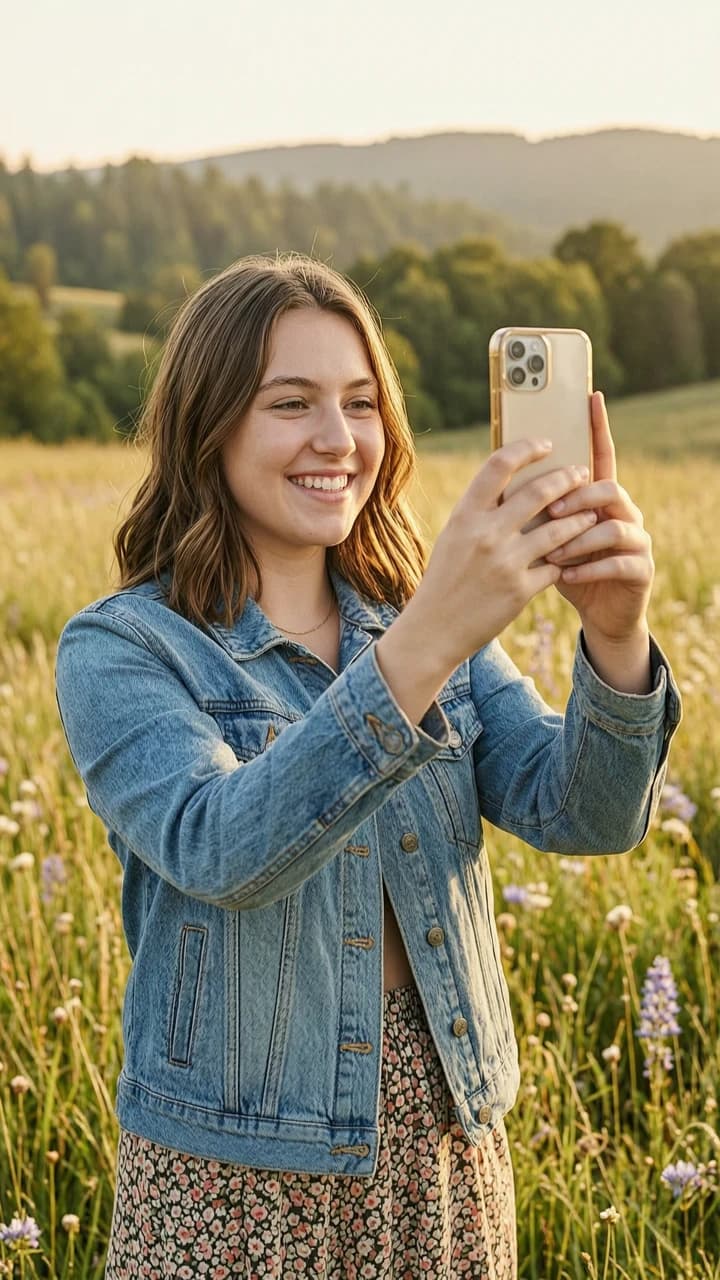
High-clarity reference portrait with clean lighting and distinct subject contours
Optimal source reference: high resolution, balanced illumination, and distinct subject silhouette.

Input guidelines

  • Subject clarity & resolution: Minimum 512×512, with 1024×1024 or higher recommended so the model captures clean edges and textures.
  • Keep subjects front and center: Make sure your main product or person takes up at least one-third of the frame. If the subject is too small, the AI won't know what to protect.
  • Clean, even lighting: Use clear lighting with visible outlines. Avoid extreme dark shadows or washed-out glare so the AI can cleanly separate your subject from the background.
  • Single vs multi-reference: Use one image for direct restyling, or pair two reference photos when combining identity and target poses.

Common pitfalls to avoid

  • Severe motion blur or pixelation: Degraded inputs confuse edge detection and produce muddy synthetic artifacts.
  • Tiny or partially clipped subjects: Objects pushed to extreme frame edges risk distortion during re-synthesis.
  • Harsh shadows and extreme backlighting: Blown-out highlights and deep shadow clipping reduce texture fidelity in the output.
  • Conflicting text prompts: Avoid giving prompts that contradict source geometry when you intend to preserve it.

Image to image FAQs

How much of the original image can the generator keep?

The tool preserves structural foundations including silhouettes, perspective, and subject proportions. Lighting, colors, backgrounds, and textures re-synthesize based on your prompt. Detailed prompt instructions help the model maintain strict alignment with your source layout.

Is this suitable for product photography?

Yes. Brands use this workflow to refresh product shots and generate campaign variants. By uploading a packshot, you place merchandise into luxury marble or lifestyle scenes while keeping proportions recognizable, reducing reshoot costs.

When should I choose reference-guided editing over text to image?

Choose reference-guided editing when you need to preserve existing brand assets, product geometry, or talent identity while changing styles. If you are starting from a blank canvas without reference constraints, use text to image for open-ended concept exploration.

Is image to image free to try?

Yes. Creating an account provides trial credits to upload reference images, test prompts, and preview models without payment. Flexible packages support ongoing production.

Can I use the tool for ecommerce product photos?

Commercial sellers use our image to image generator free trial to create Amazon and Shopify listing variants. Upload a product photo to generate lifestyle placements on counters or in sunlight.

What happens to faces and text in the original photo?

Human faces retain structural identity, eye spacing, and angles during edits, though artistic styles can shift surface textures. Small embedded text and fine logos may distort during diffusion; overlaying vector logos and typography after generation is recommended for commercial work.

Features

Prompt-guided restyling for product, portrait, and editorial transformations
Flexible output shapes for feeds, stories, and wide banners
Multi-reference workflow supporting identity, pose, and style transfer
Model routing with automated parameter adaptation and input validation
Session history and instant high-resolution downloads in one workspace

Powered by production-ready AI models

ChatGPT Image 2.5
ChatGPT Image 2.5
ChatGPT Image 2
ChatGPT Image 2
Nano Banana 2.1
Nano Banana 2.1
Grok Imagine Image 2.0
Wan 2.7 Image
Wan 2.7 Image
Wan 2.7 Image Pro
Wan 2.7 Image Pro

Ready to restyle your images?

Create your free account to access trial credits and transform reference images in seconds.

VioEvo AI logoVioEvo AI

Create cinematic videos and images in one creative studio. Start with a prompt, photo, or clip.

https://www.vioevo.comsupport@vioevo.com

Explore

Text to VideoAI Reels GeneratorImage to VideoGrok Image to VideoSeedance AI Video GeneratorReference to VideoVideo to VideoText to ImageImage to ImageAI Pose ChangerAI CartoonifyHotel Lobby AITavus Griffin

Models

All ModelsMiniMax H3ChatGPT ImageNano BananaHappy HorseGrok ImagineSeedanceGoogle Veo

Company

PricingBlogContact UsAbout

Legal

Privacy PolicyTerms of ServiceRefund PolicyDMCAAcceptable Use Policy

© 2026 VioEvo. All rights reserved.