Seedance AI Video Generator for Directed Short Clips

Turn a prompt or a trusted first frame into a coherent Seedance video. Use the same studio for Seedance text to video and Seedance image to video, then refine the shot without rebuilding your workflow.

Create with the Seedance AI video generator

Text or image input · Seedance 2.5 · one focused generation workflow

See How Seedance Turns Direction Into Motion

These examples show two practical starting points: a first frame that anchors a subject, and a text brief that establishes the scene. Use the prompt as a motion or scene direction, not as a list of details the model already has.

1. Choose a starting point

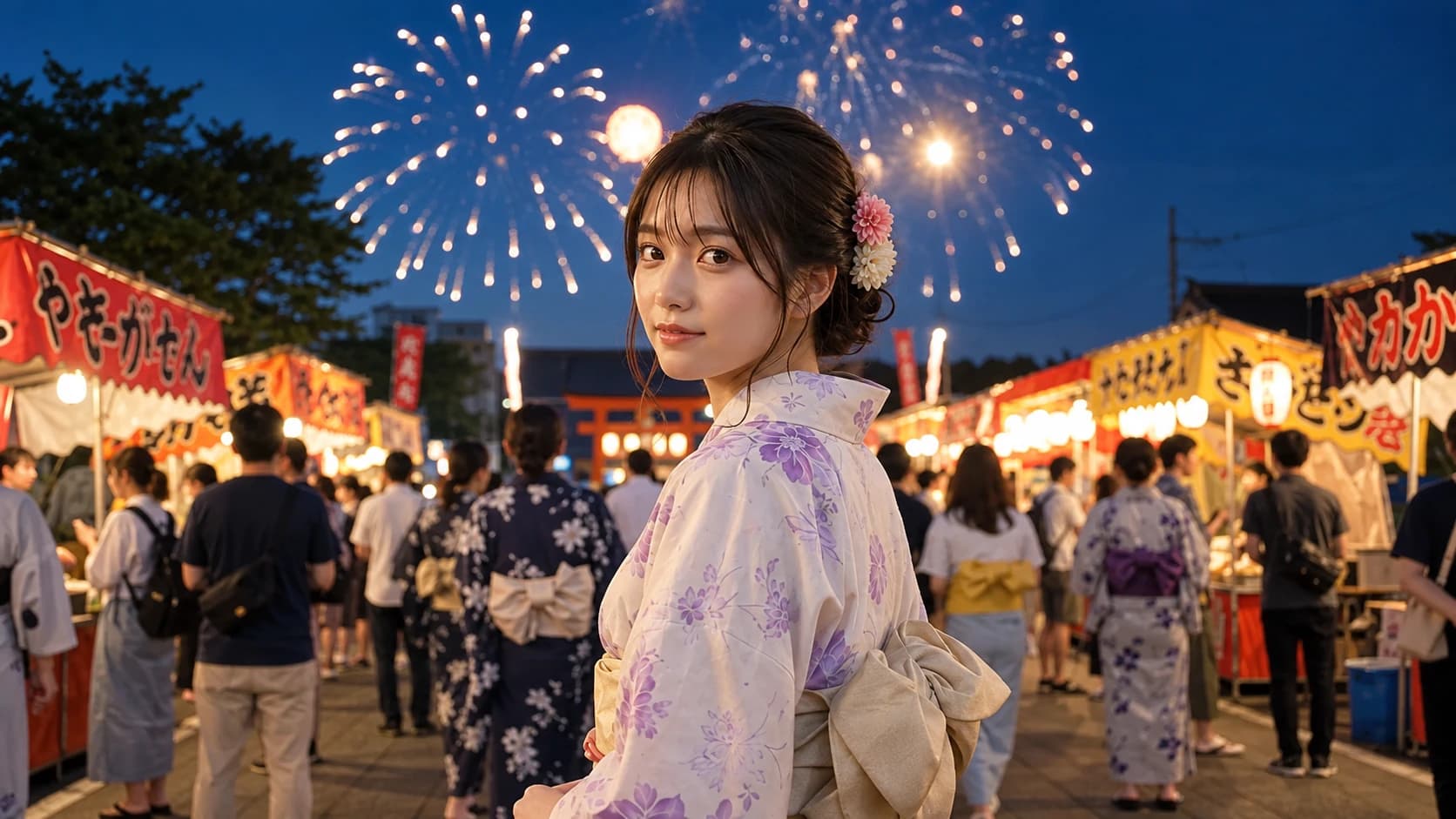
Seedance 2.5 starting frame for an image-to-video cinematic scene
Uploaded first frame

2. Direct the shot

Image to video

Slowly track forward as the subject turns toward the light. Keep the framing steady, preserve the wardrobe and facial identity, and let a soft breeze move the surrounding fabric.

Creative directionSeedance 2.5

3. Generate the video

Generated video

The displayed poster is also a useful first-frame reference. Replace it with your own image for image-to-video, or switch to text-to-video when the scene should be invented from a brief.

A Practical Seedance Video Generator Workflow

The best Seedance video generator results come from a small, testable brief. Start with the input mode that matches your creative material, then give the model one readable moment to execute.

1. Choose a starting point

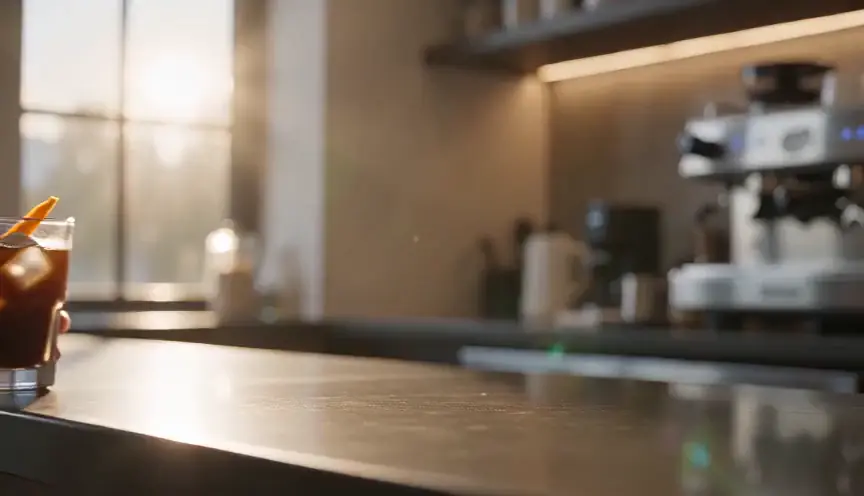
Seedance 2 Mini poster showing a text-to-video product scene
Generated opening frame

2. Direct the shot

Text to video

A chilled iced coffee on a sunlit cafe table. The camera makes a measured lateral slide while condensation catches the light; keep the product centered and the background softly alive.

Creative directionSeedance 2 Mini

3. Generate the video

Generated video

Choose text to video or image to video deliberately

Seedance can invent a scene from a written brief or continue a visual state from an uploaded image. The choice changes what your prompt needs to do.

Use text to video for a blank canvas

Start with text when the setting, subject, and composition are still open. Specify the scene first, then add one action and one camera move.

Use image to video for continuity

Upload a clear first frame when a face, product silhouette, outfit, or composition must remain recognizable. Describe what changes after that frame.

Switch modes when the asset changes

A concept brief can begin as text to video, while a finished product still is better suited to image to video. The studio keeps both paths close at hand.

Write a Seedance prompt that can be executed

A useful prompt behaves like a short shot brief. It gives Seedance a subject, a time-based action, and a camera decision without trying to storyboard every frame.

Name the visual anchor

Lead with the person, product, or environment that matters most. In image-to-video, let the uploaded frame carry details that are already visible.

Give one primary action

Use a connected action such as turning, walking, pouring, revealing, or tracking. Multiple unrelated actions compete for the same short clip.

Add one camera path

Choose a push-in, pull-back, pan, orbit, or steady follow. A single camera intention makes the result easier to evaluate and refine.

Refine the Seedance video generator output in passes

Treat each generation as a focused test. Review the motion before adding style, then change the smallest part of the brief that explains the problem.

Fix structure before atmosphere

If the subject drifts or the camera loses its path, simplify the action first. Lighting and texture cannot repair a confusing sequence.

Keep the successful constraints

When a take gets the framing or identity right, preserve those instructions and adjust only the movement, timing, or environmental cue that needs work.

Use the right model for the pass

Start with a faster Seedance option while exploring. Move to Seedance 2.5 when the shot needs a higher quality ceiling or more demanding visual continuity.

Generated video

Prompt-led scene

Create a grounded street-level moment after rain. A cyclist passes through reflected neon, the camera follows for one smooth beat, and the wet pavement keeps a realistic sheen.

Need a broader workspace for uploaded frames? Open the image to video generator for more model and format choices.

Starting from a written concept? Continue with the text to video tool to compare prompt-led workflows.

Seedance AI Video Generator Questions

Answers about Seedance text to video, image to video, prompts, model selection, and getting started.

What is the Seedance AI video generator?+

It is a VioEvo video creation workflow that lets you generate short clips with Seedance models from either a text prompt or an uploaded image. Seedance 2.5 is the default starting model on this page.

Can I use Seedance for both text to video and image to video?+

Yes. Choose text-to-video when you want Seedance to build the scene from your brief. Choose image-to-video when an uploaded first frame should anchor the subject, composition, or product details.

How do I write a Seedance video generator prompt?+

Describe the visual anchor, one primary action, one camera path, and one persistent environmental cue. For image-to-video, focus the prompt on what changes after the uploaded frame.

Is Seedance image to video free?+

You can try the Seedance image to video workflow with any promotional or starter credits available to your account. Check your credit balance in the generator before creating a video.

Which Seedance model should I start with?+

Seedance 2.5 is a strong default for quality-focused work. Seedance 2 Mini is useful for fast prompt exploration, and the available model options in the generator show which route fits your current workflow.

Is this an official ByteDance Seedance tool?+

No. VioEvo is an independent platform that provides access to supported Seedance generation routes when available. Seedance and ByteDance are trademarks of their respective owner.

Make Your Next Seedance Video

Bring a prompt or a first frame, choose the direction that fits, and turn a focused idea into a Seedance clip you can refine.

Open the generator to check your available credits.